
Complete the profile
Review your name, username, profile title, email, bio and current avatar before saving changes.
Creavax product guide
Settings keeps public identity, the active billing wallet, creative preferences, personal API access and permanent account controls in clearly separated panels.
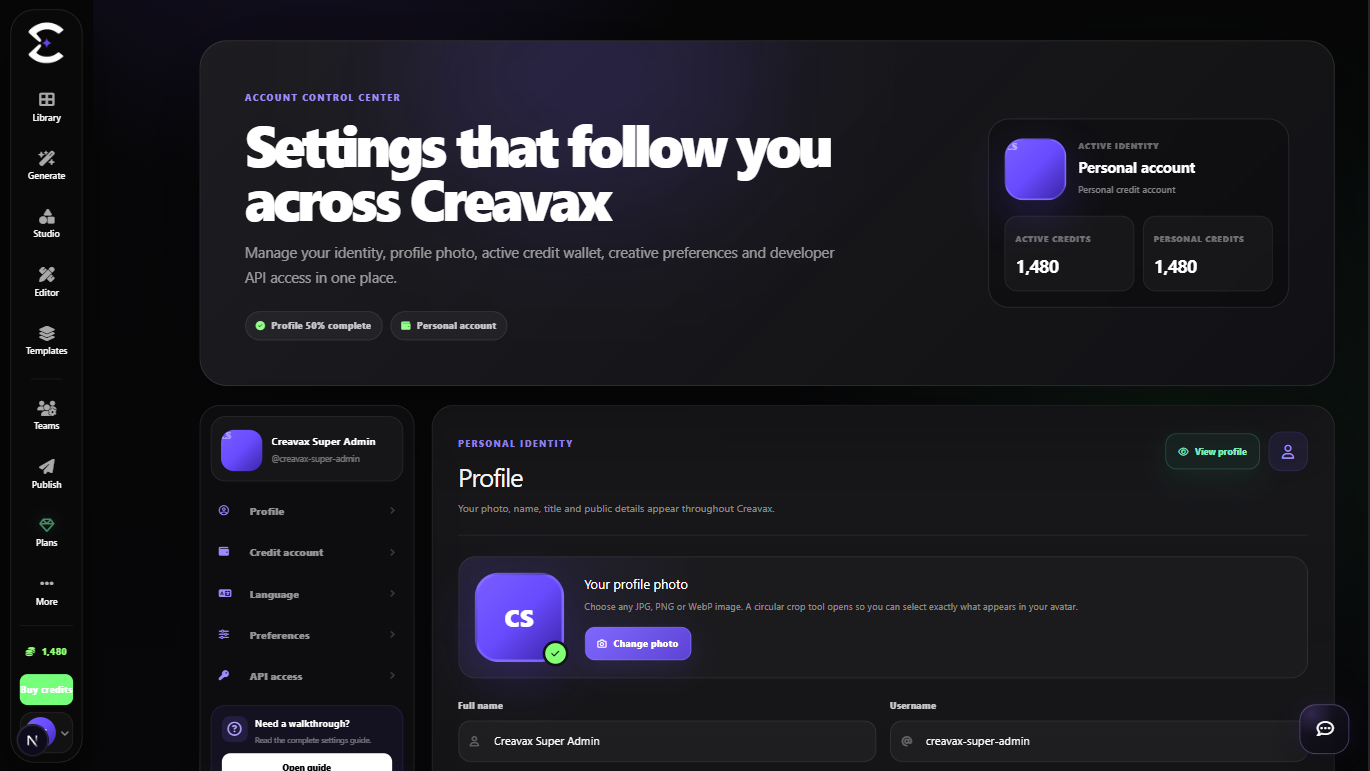
Profile changes, active credit account selection, recommendations, API access and destructive account actions are intentionally separated.
Quick start
Follow this order for a clean first pass. You can return to the deeper sections when a permission, billing choice or destructive action needs more context.
Review your name, username, profile title, email, bio and current avatar before saving changes.
Select Personal or an eligible team under the credit-account section before starting billed generation or API work.
Choose meaningful creative interests and create or rotate the personal API token only when an integration needs it.
Wait for the success confirmation and confirm the active account, balance and profile preview before leaving the page.
Core capabilities
Use these capabilities to understand what belongs here, what connects to another workspace and which actions change public, billing or account state.
Edit name, username, profile title, bio and a cropped profile image while keeping the account email read-only.
Choose the personal wallet or an active team wallet. The selection remains active until changed or access is removed.
Select interests that can shape supported recommendations, Templates and content discovery.
Manage one personal API token and use a password-confirmed destructive flow for permanent account deletion.
Detailed workflow
These sections explain the decisions that matter most before you organize assets, spend credits, publish content, collaborate or change account access.
Use a stable display name and username so collaborators can identify you across profile, team and publishing experiences. Keep the bio concise and free from confidential information.
A new profile photo is first shown as a preview. Save the profile to upload it and replace the previous image.
The active credit account determines whether new billed requests use your personal wallet or an eligible team wallet. The selection persists across reloads and future sign-ins.
When a team removes your membership, Creavax safely returns the active context to Personal. Previously completed charges are not moved retroactively when you switch accounts.
The personal API token is for applications that call the Creavax Developer API. Treat it like a password: store it securely, never place it in frontend code and rotate it when exposure is suspected.
Account deletion requires password confirmation and is permanent. The interface warns about remaining credits, active API access, public content and teams that still need leadership transfer or deletion.
Best practices
Frequently asked
Quick answers to the questions that most often come up before using this workspace.
No. The billing context persists until you select Personal, choose another eligible team or lose access to the active team.
Only teams where your membership is active can be selected as the current billing account.
No. The interface presents account deletion as permanent and requires password confirmation after showing its consequences.
Continue learning
Continue with the next workspace only when it supports the same task, billing context or publishing flow.
Ready to use the real workspace?
Open Settings, complete one small real task and return to this page when you need the detailed workflow.