
Check the current balance
Review the visible personal balance and any eligible team wallet before starting a large request.
Creavax product guide
Credits and billing are easiest to manage when you separate three ideas: where credits are stored, which wallet is active for new work and what each generation is expected to cost.
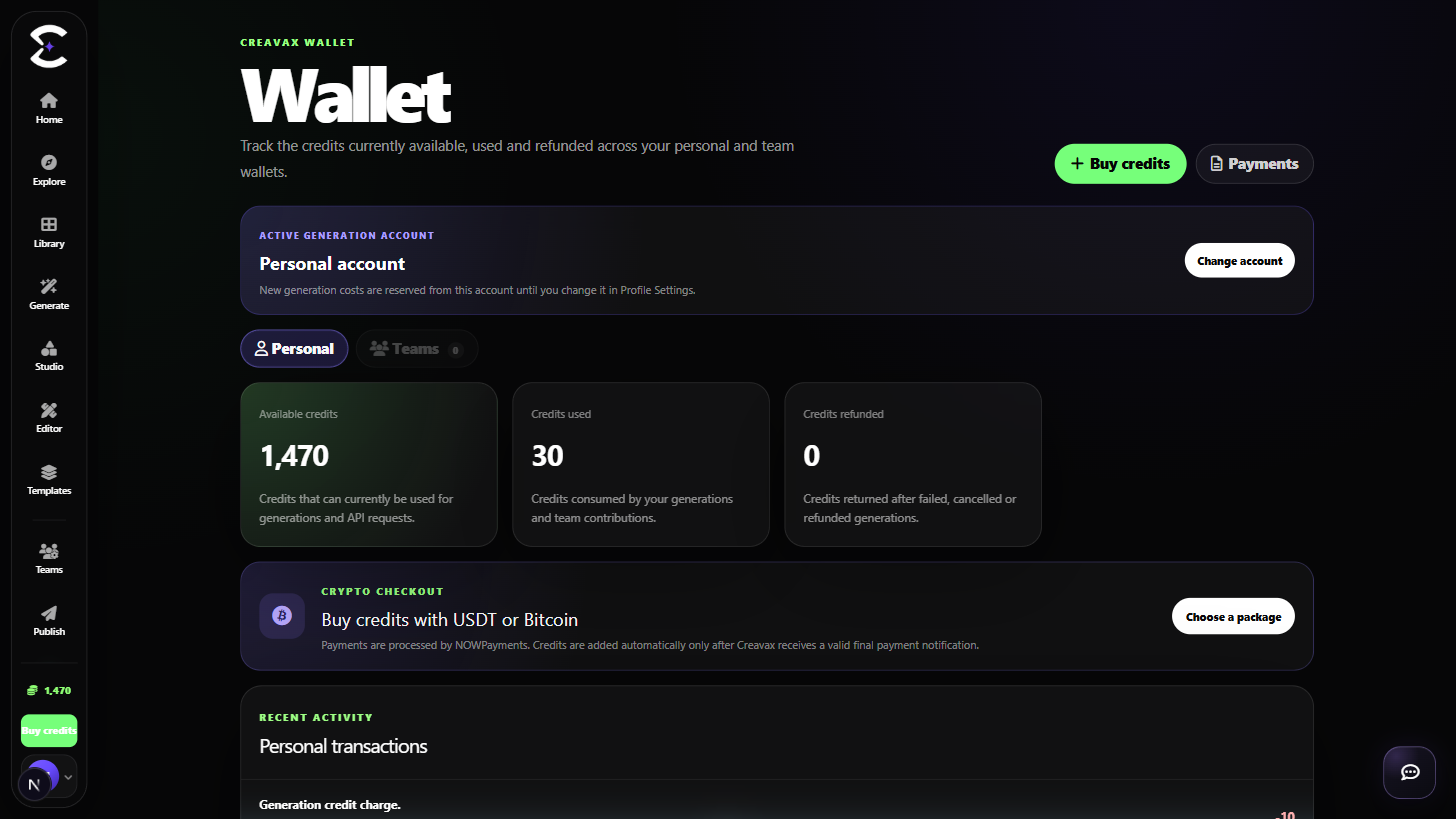
Personal credits and team credits stay separate. Choose the active billing context first, review the visible estimate and use the billing history to understand completed charges.
Quick start
Follow this order for a clean first pass. You can return to the deeper sections when a permission, billing choice or destructive action needs more context.
Review the visible personal balance and any eligible team wallet before starting a large request.
Use Settings > Credit account to choose Personal or an eligible team for new billed work.
Read the exact price when the model is fixed-price or the visible estimate when provider usage determines the final charge.
Use Billing and related credit views to understand purchases, recorded charges and the wallet that paid.
Core capabilities
Use these capabilities to understand what belongs here, what connects to another workspace and which actions change public, billing or account state.
Keep individually purchased or assigned credits separate from team-controlled balances.
Use shared team credits only when the active billing context is an eligible team.
Use Plans to compare available credit packages, validity periods and package terms before purchase.
Review recorded billing activity so completed work can be traced back to the paying context.
Detailed workflow
These sections explain the decisions that matter most before you organize assets, spend credits, publish content, collaborate or change account access.
Having credits in more than one place does not mean Creavax combines them automatically. Personal and team balances remain separate, and the active credit account determines which eligible wallet pays for new billed work.
Switch the billing context before generation. Changing it afterward does not retroactively move a completed charge between wallets.
Some models can show an exact credit cost before submission. Usage-based providers can only show an estimate until the provider reports the billable usage. The final recorded charge can therefore differ from the previewed estimate.
Failed or interrupted jobs should be interpreted through the actual billing record and the platform refund behavior rather than by assuming every submitted request consumed the displayed estimate.
Best practices
Frequently asked
Quick answers to the questions that most often come up before using this workspace.
No. They are separate balances. New billed work uses the active eligible credit account selected in Settings.
Usage-based models can depend on provider-reported consumption. Fixed-price models can show an exact amount, while usage-based models show an estimate before completion.
Open Plans to review currently available personal credit packages and their validity terms.
Continue learning
Continue with the next workspace only when it supports the same task, billing context or publishing flow.
Ready to use the real workspace?
Open Credits & Billing, complete one small real task and return to this page when you need the detailed workflow.