
Choose the output
Select Auto when Creavax should infer the output, or choose image, video, audio, text or 3D when the result type is already clear.
Creavax product guide
Generate is the fastest way to turn one prompt into supported creative outputs while keeping model controls, references, credit estimates and results in one workflow.
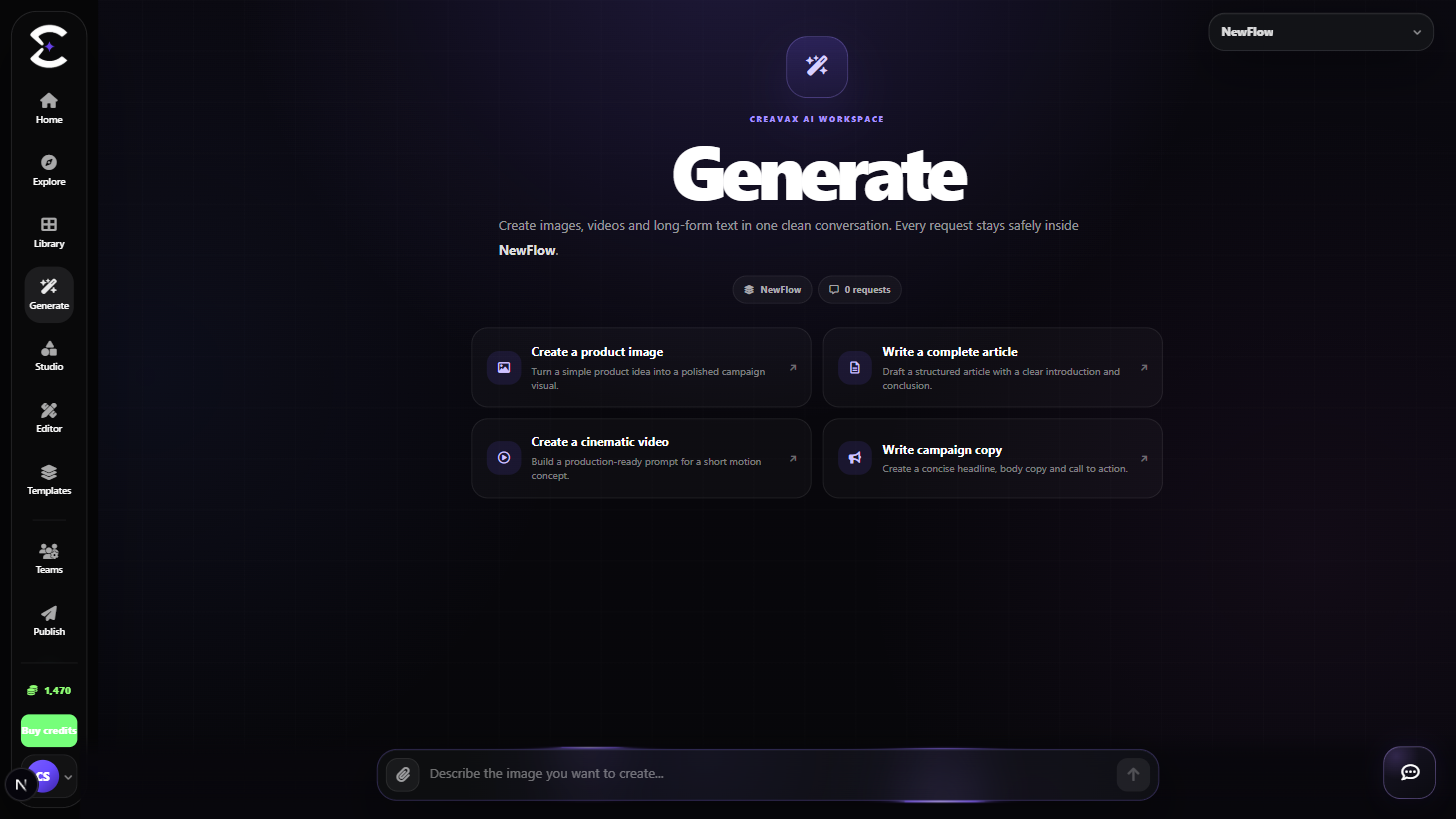
Start with the result you need, choose Auto or a supported output, then refine only the controls exposed by the selected model.
Quick start
Follow this order for a clean first pass. You can return to the deeper sections when a permission, billing choice or destructive action needs more context.
Select Auto when Creavax should infer the output, or choose image, video, audio, text or 3D when the result type is already clear.
Pick from models that support the selected output. The prompt bar updates the available controls for that model.
Describe the result clearly and add supported image or media references only when the selected model accepts them.
Check the visible credit information, submit the request and keep the page open or return later to review the completed result.
Core capabilities
Use these capabilities to understand what belongs here, what connects to another workspace and which actions change public, billing or account state.
Use one creation surface for supported image, video, audio, text and 3D workflows.
Aspect ratio, duration, references and other options appear only when the selected model supports them.
Choose active uploads from Library when the workflow accepts reference media.
Generated output remains connected to its request and can be reviewed again from the product history and Library.
Detailed workflow
These sections explain the decisions that matter most before you organize assets, spend credits, publish content, collaborate or change account access.
The selected output narrows the model list. This prevents choosing a model that cannot produce the result you expect and keeps the prompt controls relevant.
Auto is useful when the prompt already makes the intended format obvious, while an explicit output is better when the delivery format is fixed.
Use a concise prompt that states the subject, visual or production direction and the constraints that matter. Add references only when they improve the request.
Before generating, review the visible credit information and active billing context. After completion, keep the result in Library instead of relying on a temporary browser state.
Best practices
Frequently asked
Quick answers to the questions that most often come up before using this workspace.
Creavax shows controls based on the selected model's supported capabilities. A setting can disappear when the new model does not expose it.
Completed supported outputs remain available through Generate history and the Generated Results area in Library.
Continue learning
Continue with the next workspace only when it supports the same task, billing context or publishing flow.
Ready to use the real workspace?
Open Generate, complete one small real task and return to this page when you need the detailed workflow.